10.06.2010

CEATEC JAPAN 2010 に行ってきた

特別招待日 10 月 5 日(火) にプレスとして参加できることになったので,幕張メッセまで行ってきました.入場できる人が限定されているので比較的空いている中で見て回ることができました.

CEATEC 公式サイトはこちら
http://www.ceatec.com/2010/ja/index.html


一通りは回ったつもりですが,いくつか印象的だったものをピックアップして紹介しようと思います.記事を追加次第,以下にリンクも貼っていこうと思います.ニュース的な話は各種情報サイトに専門のライターさんがポストしていると思うので,主に私の感想を述べていく予定です.


WiMAX 機器の展示と WiMAX 2 実働デモ - UQ WiMAX (2010/10/06 追加)
http://hikaruhorie.blogspot.com/2010/10/ceatec-wimax-wimax-2-uq-wimax.html

IS03 ファーストインプレッション - au by KDDI (2010/10/06 追加)
http://hikaruhorie.blogspot.com/2010/10/ceatec-is03-au-by-kddi.html

お土産いろいろ (2010/10/06 追加)

Galaxy S ファーストインプレッション - docomo (2010/10/07 追加)
http://hikaruhorie.blogspot.com/2010/10/ceatec-galaxy-s-docomo.html

圧巻の 20 m 超の巨大 3D ディスプレイ - SONY (2010/10/11 追加)
http://hikaruhorie.blogspot.com/2010/10/ceatec-20-m-3d-sony.html

Android 端末いろいろ (2010/10/11 追加)
http://hikaruhorie.blogspot.com/2010/10/ceatec-android.html

「HP PC COLLECTION 2010~秋の大感謝祭~」でノート PC をもらった!

基本英語でポストする宣言をしたものの,障壁が上がったことでポスト頻度が減るという若干本末転倒な感じになってきたので,国内の話題は日本語でポストしてもいいかなと妥協する方向にポリシーを改変しました…orz ということで今回は日本語でポストします.


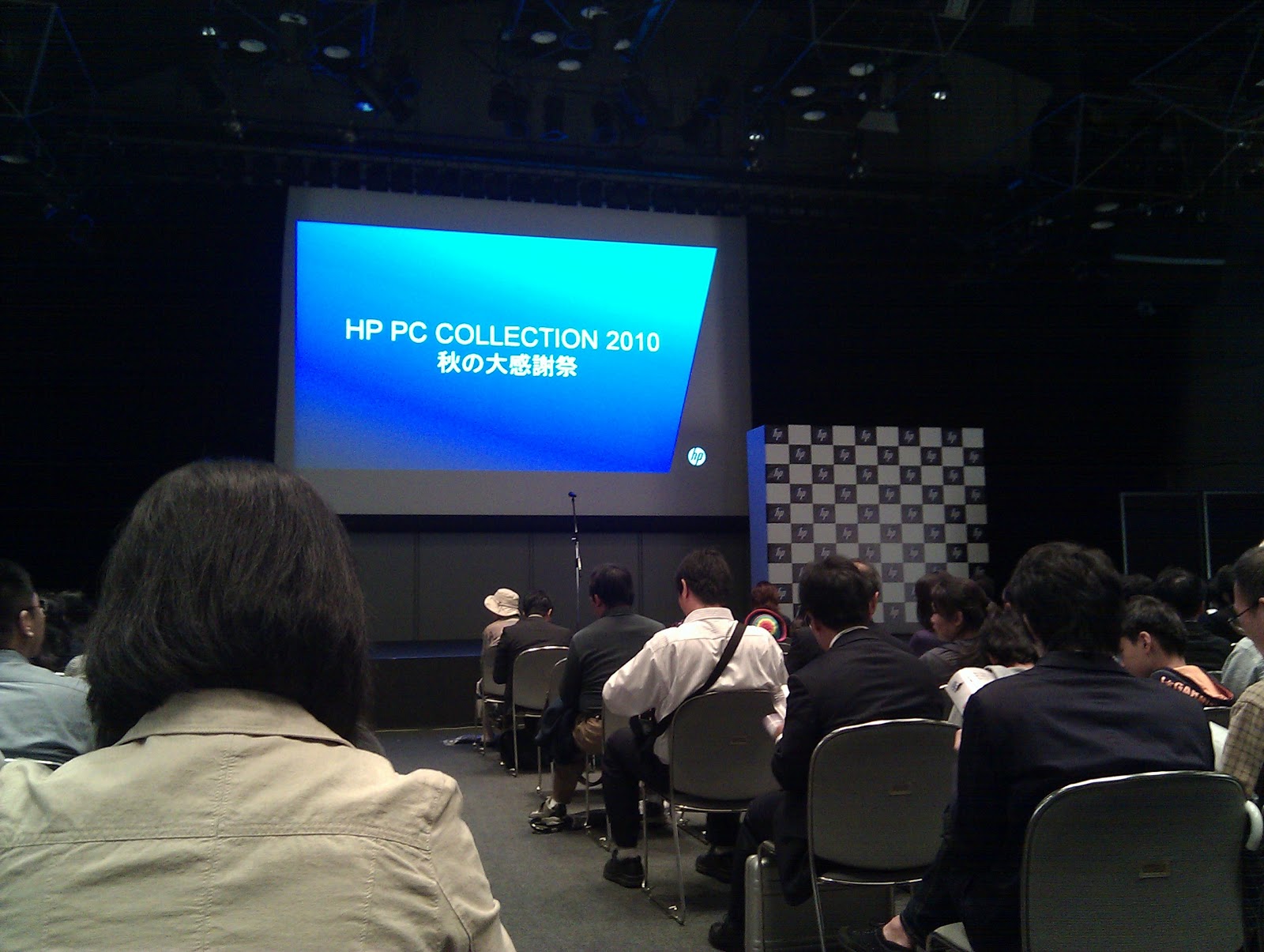
去る 9 月 30 日(金) の夜に「HP PC COLLECTION 2010 秋の大感謝祭」なるイベント@原宿クエストホールに参加してきました.
イベントの内容は,
  • 同日に発表された秋冬モデルの PC の紹介とタッチ&トライ
  • 色々当たる抽選会
という感じで,およそ 2 時間のイベント.


PC の紹介にはお笑い芸人の TKO が登場して,コントをいくつか披露した後に今回対象となっている PC の各種特徴を紹介.タッチ&トライではその日の午前中にプレス発表のあった PC が触れるようになっていました.各種専門サイトで詳しく紹介されているのでここでは詳細は書きませんが,以下のようなラインナップでした.
プレスリリース
  • ラップトップ
    • HP ENVY14 Beats Edition
  • ミニノート
    • HP Mini 210-2000
  • デスクトップ
    • HPE シリーズ
    • HP Omni 100シリーズ
    • TouchSmart 310PCシリーズ


お待ちかねの抽選会ですが,結論から言いますと,なんと HP ENVY14 Beats Edition が当たりました.かれこれ 25 年程生きておりますが,これだけ高価なモノがくじ引きで当選したことはありません.おそらく少なくとも今年一年分の運は使い切ったことでしょう….せっかく当たったので簡単に紹介しておこうと思います.
基本スペックは
  • CPU: Core i7-720QM
  • RAM: 4 GB
  • Graphics: ATI Mobility Radeon HD 5650
  • OS: Windows 7 Home Premium 64 bit
となっています.
また,この製品の最大の特徴とセールスポイントとしてオーディオ出力へのこだわりがあります.スピーカ出力との共振も考慮して筐体設計することで従来のノート PC のスピーカではほぼ皆無だった重低音の再現度が向上しており,ヘッドホン等への出力についても綿密なチューニングが施されているようです.現物はまだ受け取っていないので,入手次第そのあたりのレビューも載せていきたいと思っています.

ENVY14 の詳細はこちら
http://h50146.www5.hp.com/products/portables/personal/envy14_win/


# ENVY14 とは別にモエ・エ・シャンドンのシャンパンもお土産に頂きました(これは参加者全員!)


同イベントに参加された方々のブログ

Attended Google Developer Day 2010 Japan

The 28th of Sep. I attended Google Developer Day 2010 Japan (GDD) at Tokyo International Forum. I got participation right as "Super Hacker slot." I solved all of DevQuiz, but I don't think I'm a SUPER hacker haha. :P


You can read many detailed reports about GDD, so I write few topics.
If you want to know the details, find them with...
Official Site: http://www.google.co.jp/events/developerday/2010/tokyo/
Twitter: @googledevjp or #gdd2010jp
Official Photos: Picasa
and...please Google


- - - - - 8< - - - - - Memo - - - - - 8< - - - - -

To make High Performance Android Apps by Mr. Tim Bray
  • Don't use I/O or networking task in UI thread.
    • 25ms loss even if you issue I/O task for 1 byte
    • Ping on 3G takes 108, 350, 500, 800ms
  • Show a progress dialog when a process takes longer than 200ms
  • If it's not fast enough, don't guess. Measure and find out why.
  • Indexing makes reading fast but writing slow (SQLite)
    • Use text for loging
I think these advice are useful for general user applications.


And, interesting sites Googler introduced.
HTML5 Rocks: Show Case for New Feature of HTML5
http://studio.html5rocks.com/

Fiabee: Online Storage for Backup

8.07.2010

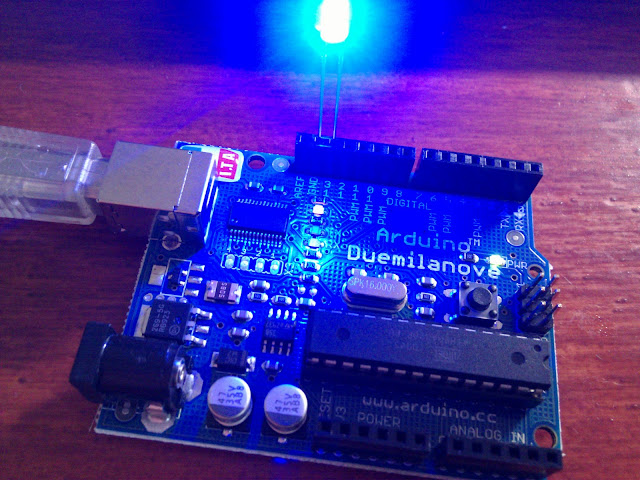
Setting up Environment for Arduino and Testing of Blinking LED


I got an Arduino which is a single-board microcontroller and a software suite for programming it.
I will try to make some sensors/switches connected to the internet through the Arduino and control them from an android phone.

At first, I made a development environment for the Arduino. This was really simple way for my PC (Win7 64bit).

  1. Connect the Arduino to PC with USB cable.
    (In my environment its device driver was automatically installed)
  2. Download zip file of IDE from an official web site.
    http://arduino.cc/
  3. Unzip it.
  4. Run arduino.exe.
  5. Choose your Serial Port in menu [Tools -> Serial Port].
    (You can confirm its number in the Device Manager. In my case, it is "COM4.")

Then I test a simple sketch which blink LED. In Arduino community, code is called "sketch" and it is similar to C/C++. The sketch is below. Insert a LED into Digital 13 socket and upload the sketch . (I didn't use any register with the LED, but it's not good exactly)

// Blinking LED

#define LED 13 // Digital 13 for LED

void setup() {
  pinMode(LED, OUTPUT); // set the pin output
}

void loop() {
  digitalWrite(LED, HIGH); // LED on
  delay(1);
  digitalWrite(LED, LOW);  // LED off
  delay(1000);
}

I confirmed my Arduino works well, so next time I'll try to use some kind of sensor. :)

3.05.2010

The PlayStation's Problem Triggered by Confusing Binary-Coded Decimal with Binary?

1 March 2010, a system failure occurred in PlayStation Network and PlayStation 3. The problem was solved now, but Sony Computer Entertainment (SCE) haven't announced about a cause of  the problem yet. A post which I wrote about this problem is below.
http://hikaruhorie.blogspot.com/2010/03/system-failure-of-playstation-network.html


Today, I found a post written about the problem by Yaju. (in Japanese)
http://blogs.wankuma.com/yaju/archive/2010/03/04.aspx

The author said that the problem might be due to confusing Binary-coded decimal (BCD) with binary. In BCD, every four digits are corresponding to each decimal digit. And many real time clock (RTC) count only last two digits of years in BCD. Then last two digits of 2010 is expressed 00010000. However, if a program took 00010000 as binary, it would be 16 and the program takes the year as 2016. Then it is a leap year. The author said that this PlayStation's problem might result of this RTC's bug.

I agree with his opinion and I want SCE to announce soon.


A correspondence table of decimal, BCD, binary and hexadecimal is below.

    decimal    BCD      binary    hexadecimal
       0    0000 0000  0000 0000     0x00
       1    0000 0001  0000 0001     0x01
       2    0000 0010  0000 0010     0x02
       3    0000 0011  0000 0011     0x03
       4    0000 0100  0000 0100     0x04
       5    0000 0101  0000 0101     0x05
       6    0000 0110  0000 0110     0x06
       7    0000 0111  0000 0111     0x07
       8    0000 1000  0000 1000     0x08
       9    0000 1001  0000 1001     0x09
      10    0001 0000  0000 1010     0x0A
      11    0001 0001  0000 1011     0x0B
      12    0001 0010  0000 1100     0x0C
      13    0001 0011  0000 1101     0x0D
      14    0001 0100  0000 1110     0x0E
      15    0001 0101  0000 1111     0x0F
      16    0001 0110  0001 0000     0x10

 Photo: http://www.vend123.com/

3.03.2010

System Failure of PlayStation Network Due to a-Leap-Year-Judging?

PlayStation Network (PSN) is marred by its system failure on 1 March 2010. During this problem occurred, users of PlayStation 3 (PS3) gaming console couldn't sign up PSN and some users said that their data was broken. A newer PS3 which was called "slim model" is safe.

Sony Computer Entertainment (SCE) said that this problem occurred due to a bug of an internal clock of PS3 and it confused 2010 with a leap year. They also said that this system failure was solved already because "29 February 2010" was ended. However, they haven't announced yet about a reason of the bug and a treatment of users whose data was crashed.

I think that this bug involves something about authentication because users' broken data was bound for PSN account and a-leap-year-judging algorithm is too simple to make a mistake in ordinary circumstances. So, I wanna know why they generated this kind of bug.


SCE's announcement (in Japanese)
http://www.jp.playstation.com/info/support/sp_20100302_ps3.html

3.02.2010

Getting Nexus One in Japan

Early this year, Google released a new android phone "Nexus One" by HTC; however, Google sales it in few countries. Japan isn't included them!! :(

Google's phone shop rejects accesses from Japan. They says "Sorry, the Nexus One is not available in your country." But I really want it., so I used Hotspot Shield and Spear Net to get Nexus One.

In Japan, there is no service provider which officially supports "SIM Free Phones" with flat-rate/low pricing. I think that is stupid. Docomo is gonna release Xperia X10 in April, so I expect they start a reasonable pricing for Xperia. I strongly hope that they also support SIM Free Phones. Until that, I use Nexus One with only WiFi.


Hotspot Shield: a free VPN service
http://hotspotshield.com/

Spear Net: a forwarding service
http://www.spearnet-us.com/